
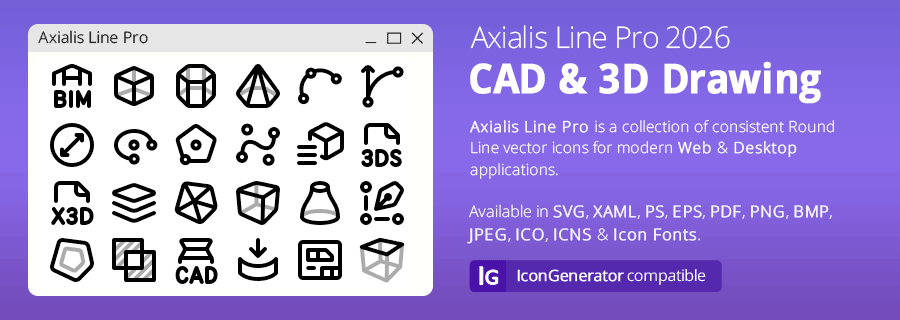
Axialis Line Pro CADWe're pleased to announce the immediate availability of the CAD Icon Set in the Axialis Line Pro 2026 style: Illustrate computer-aided design, technical drawing, geometry, measurements, constraints, meshes and 3D modeling with consistent, rounded line icons for web and desktop interfaces.
|
The Line Pro family now includes |
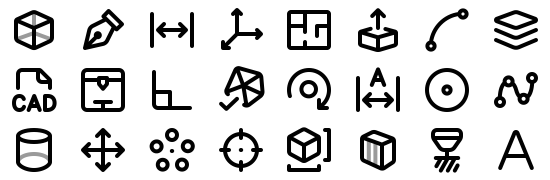


Explore All 250 CAD Icons
From drawing tools and geometric shapes to measurements, constraints, meshes and 3D modeling, the set covers both familiar design actions and specialized tools. Related variants help you keep your interface consistent.
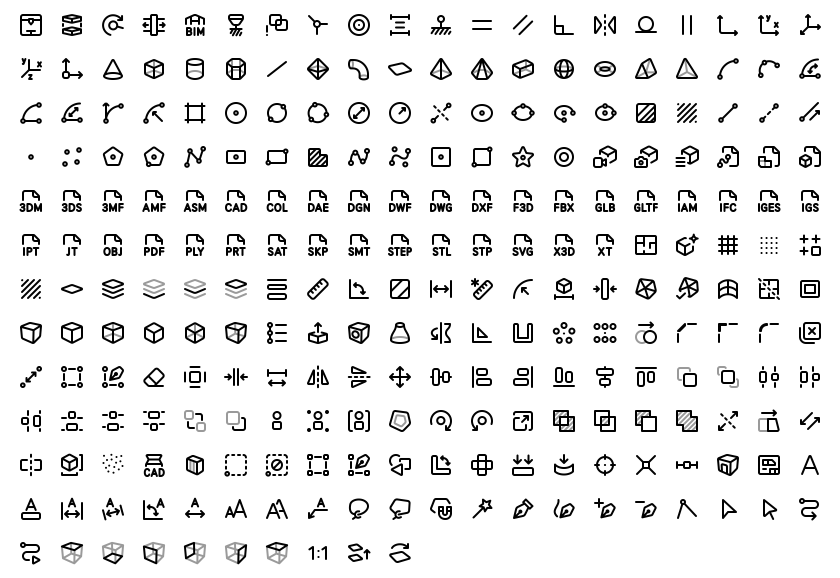
View the complete CAD set at 5:1 with filenames
Ready-to-Use Files, More Options in IconGenerator
Your download includes SVG, XAML and PNG files at 1x, 2x, 3x, 4x and 5x. Use these directly in your projects, or use the free Axialis IconGenerator to customize icons and export additional formats.
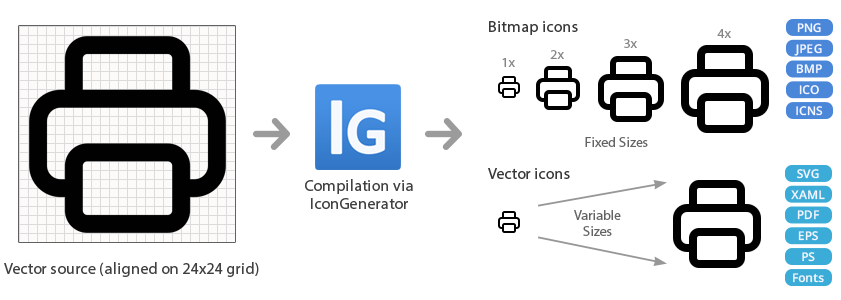
- Export vector formats such as SVG, XAML, PS, EPS and PDF.
- Create PNG, BMP, JPEG, ICO and ICNS files in the sizes you need.
- Generate icon fonts in EOT, WOFF, SVG, TTF and OTF formats.
- Customize stroke width, colors and overlays, including icons for dark interfaces.
The illustrations below demonstrate Line Pro family features in IconGenerator. Additional export formats are generated in the application; the CAD download itself contains SVG, XAML and PNG.
Consistent 24px Line Icons
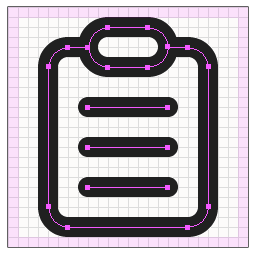
Line Pro uses 2px strokes, rounded corners and round line endings. Icons are designed on a 24x24px grid, with a 1px visual margin to keep artwork clear of the canvas edge.
The CAD set extends the same visual language as the existing Line Pro sets, so CAD editors, modeling tools, toolbars and desktop applications can share a consistent icon style.
SVG and XAML keep the artwork scalable. PNG exports provide ready-made sizes for standard and high-density displays.
Adjust the Stroke Width
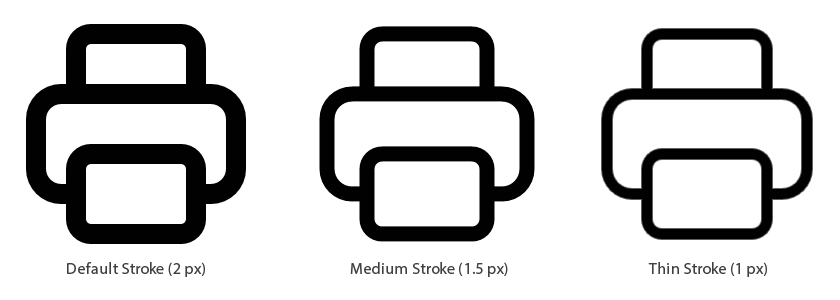
Start with the standard 2px line, or use IconGenerator to create thinner or bolder variations to suit your interface. The icons remain vector artwork, so you can choose the output size separately.
Add Meaning with 132 Overlays
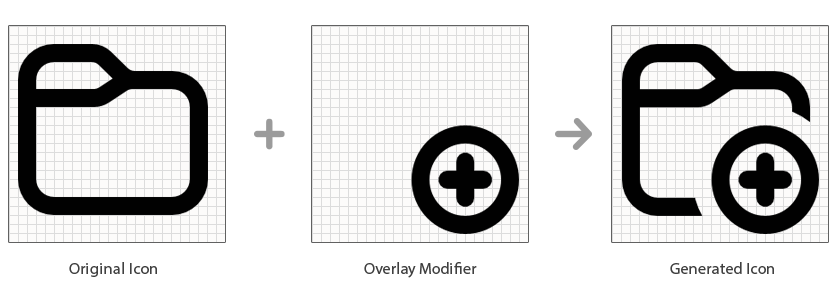
The shared Line Pro library includes 132 overlays for actions and states such as add, remove, check and information. Combine an icon and an overlay in IconGenerator, then adjust the placement and colors for your interface.
Colors for Light and Dark Interfaces
Choose an icon color that fits your application. In IconGenerator, base icons and overlays can be colorized separately.

Create matching icons for your dark interface with IconGenerator's dark-mode option.

Icon Fonts for Websites and Applications
IconGenerator can export icon fonts together with CSS and HTML sample files. Explore the Line Pro font example to see this workflow.
Eighteen Sets, One Line Pro Style
CAD joins seventeen existing sets, bringing the published Line Pro family to 4,055 icons. Each set is available separately and works with the shared overlay library.
Basic: 500 icons
Core application actions, files, folders, windows, navigation and everyday interface elements.


CAD: 250 icons - NEW
Computer-aided design, technical drawing, geometry, measurements, constraints and 3D modeling.



Documents & Folders: 280 icons
Documents, files, folders, archives, file formats, organization and sharing.

Hardware & Network: 214 icons
Computers, components, storage, peripherals, servers, networks and connectivity.

Imaging: 172 icons
Image editing, drawing, selections, layers, colors, vector operations and AI imaging tools.

Industry & Manufacturing: 150 icons
Factories, machinery, industrial automation, electronics, energy, tools and supply chains.



Project Management: 182 icons
Project planning, tasks, schedules, milestones, teams, budgets and workflows.

Security: 180 icons
Access control, authentication, encryption, privacy, surveillance and threat protection.


User Interface: 360 icons
Controls, layouts, navigation, windows, loading indicators, form validation and accessibility.

User Management: 167 icons
Users, accounts, profiles, teams, permissions, authentication and identity.

Web & Email: 225 icons
Websites, browsers, email, cloud services, online security, communication and e-commerce.

Word Processing: 254 icons
Characters, paragraphs, text formatting, documents, tables and page layout.

Explore Axialis Line Pro CAD
Find the icons for your next CAD editor, modeling tool or application interface. Browse every icon before choosing your license.
Learn more about IconGenerator | Contact Axialis
25 Sets Planned for Line Pro
With 18 sets already available, the Line Pro family will include 25 icon sets in total. The following 7 sets are planned:
- Construction
- Education
- Free Icons
- Flags & Languages
- Medical
- Sport & Health
- Transportation & Logistics
You received this email because you registered an Axialis product using this email address. To stop receiving newsletters, sign in to your customer account and update your email preferences.
Questions? Visit www.axialis.com/contact/.
Follow Axialis on X, Bluesky, Facebook or Instagram.
Copyright © 2026 Axialis. All trademarks are the property of their respective owners.