


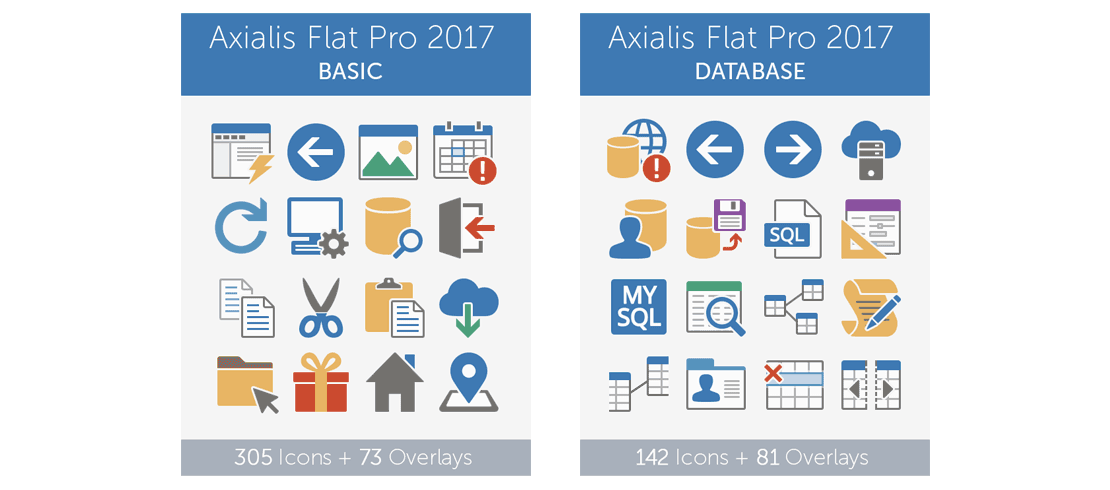
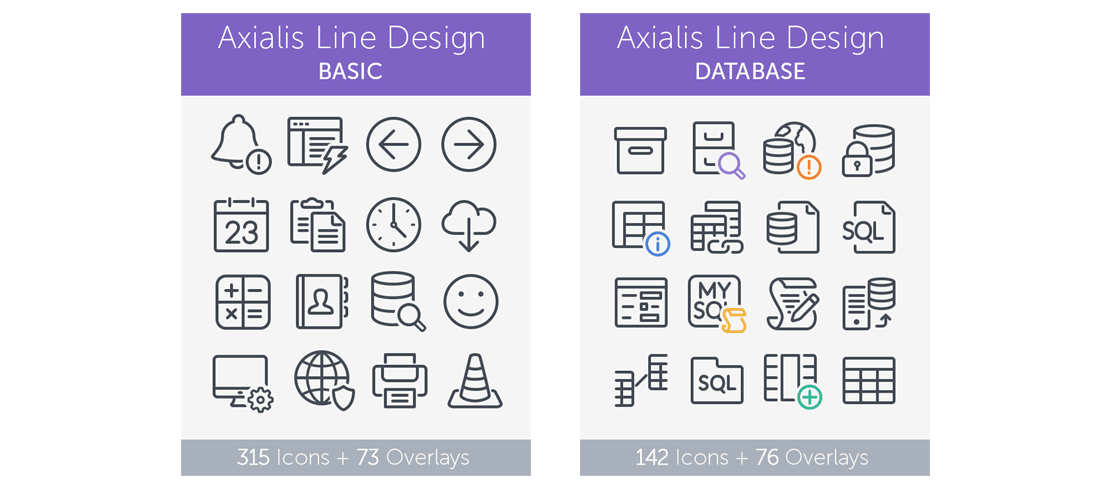
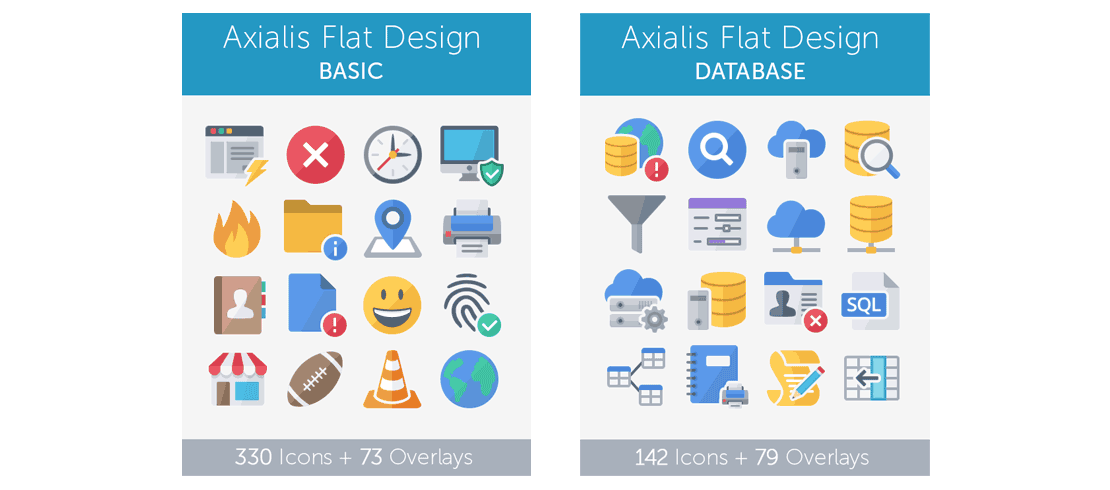






Browse icon packs for apps and UI
Choose the icon family you want to generate from, whether you need Windows app icons, toolbar icons, ribbon icons, or web-app UI icons.
Axialis IconGenerator
Generate Icons for your Applications
Create pixel-perfect icons in seconds from professional icon sets, ready for ribbons, toolbars, and menus.
New Version for Windows & macOS
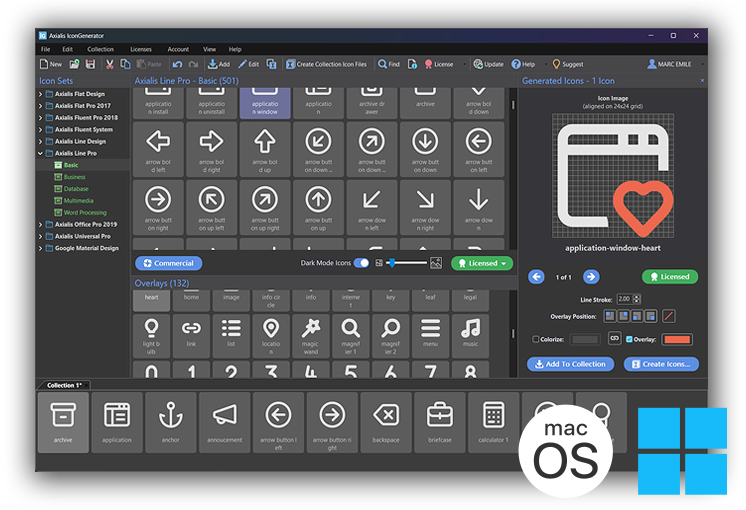
Axialis IconGenerator is built for developers who want faster icon asset production: pick icons from professionally designed vector icon packs, apply overlays or color changes, then export the formats and sizes your application needs. The application is available for Windows and macOS.
SHARE THIS PAGE


V for MacOS & Windows
English, Dutch, French, German,
Italian, Portuguese, Spanish
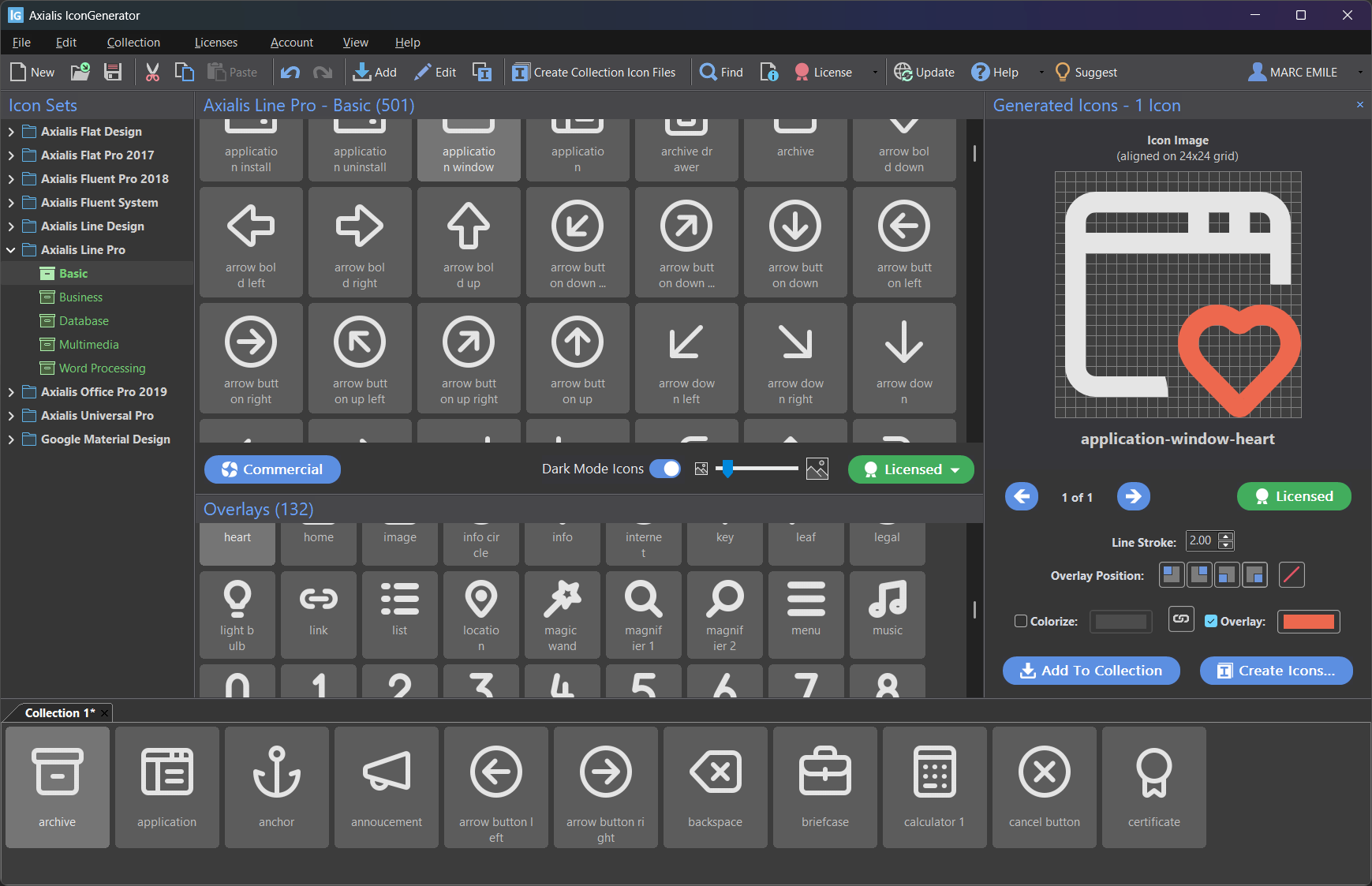
Axialis IconGenerator is a free icon production tool for developers, UI designers, and illustrators. Create vector & bitmap icons in seconds from a database of ready to use icon sets. Add overlays, colorize, and export developer ready files for software development.

The online database contains a large variety of vector icons. Search and select the icons you need, customize with overlays and colors, then export in vector or bitmap formats. Multiple icon families and styles are available.
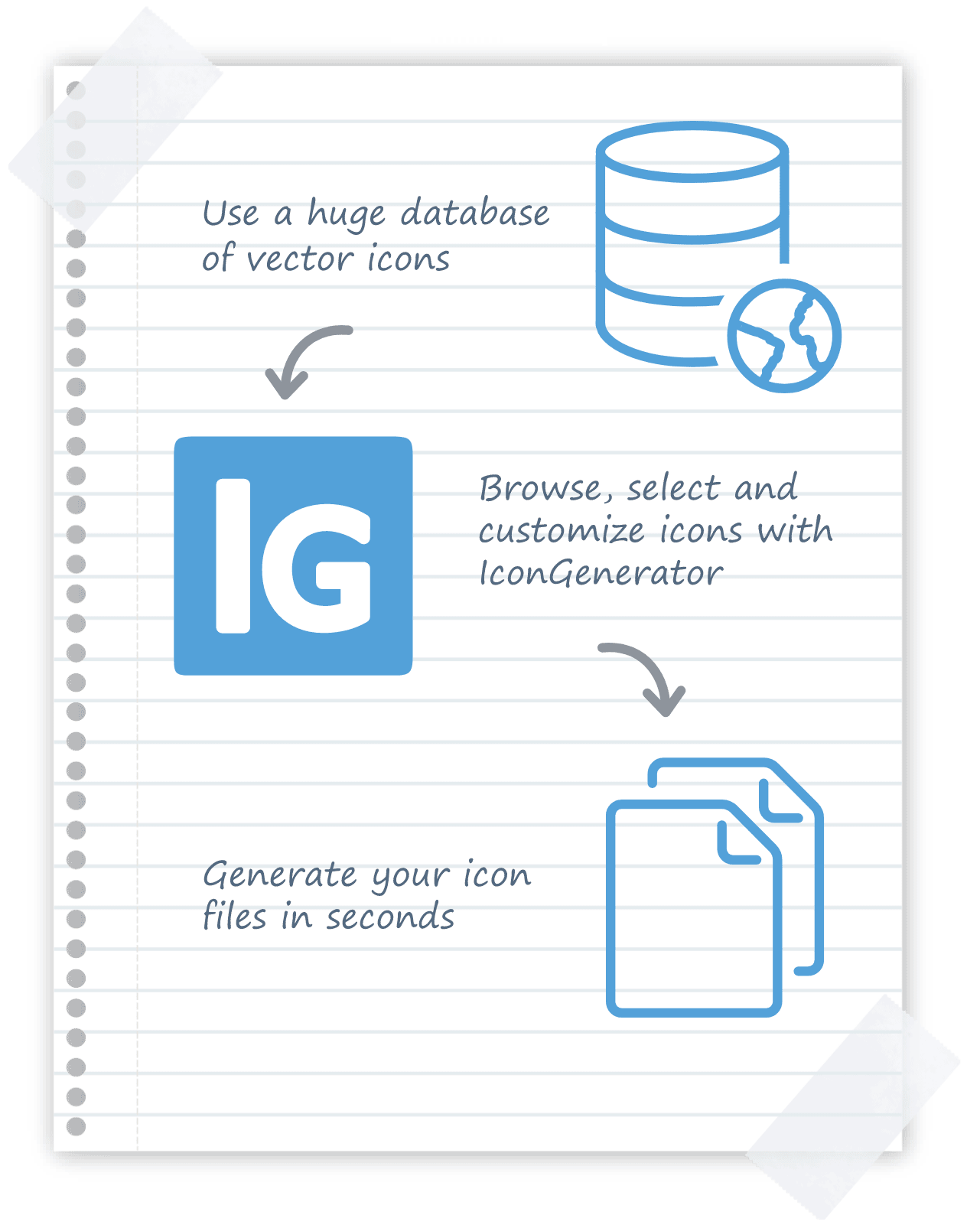

Download the Windows or Mac app. Install and start, it's free.

The icon database updates automatically and includes many vector icon sets and styles.

Apply overlays, recolor, and configure variants. Generate icons in a single click.

Export SVG, XAML, PS, EPS, PDF, web fonts or PNG, BMP, JPEG, ICO, ICNS, and image strips.
The database is constantly updated with new icon sets. Here’s a quick preview:
Generate nearly all icon formats, vectors and bitmaps, from a large database crafted by professional designers. Search, customize, and export files ready for software development UI components.
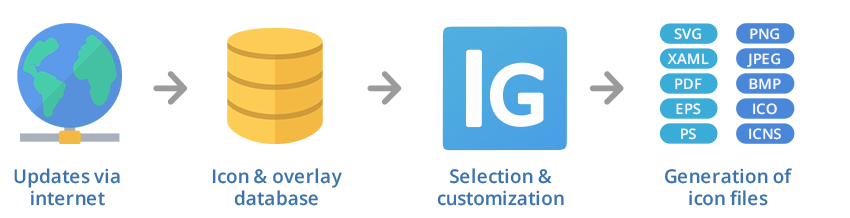
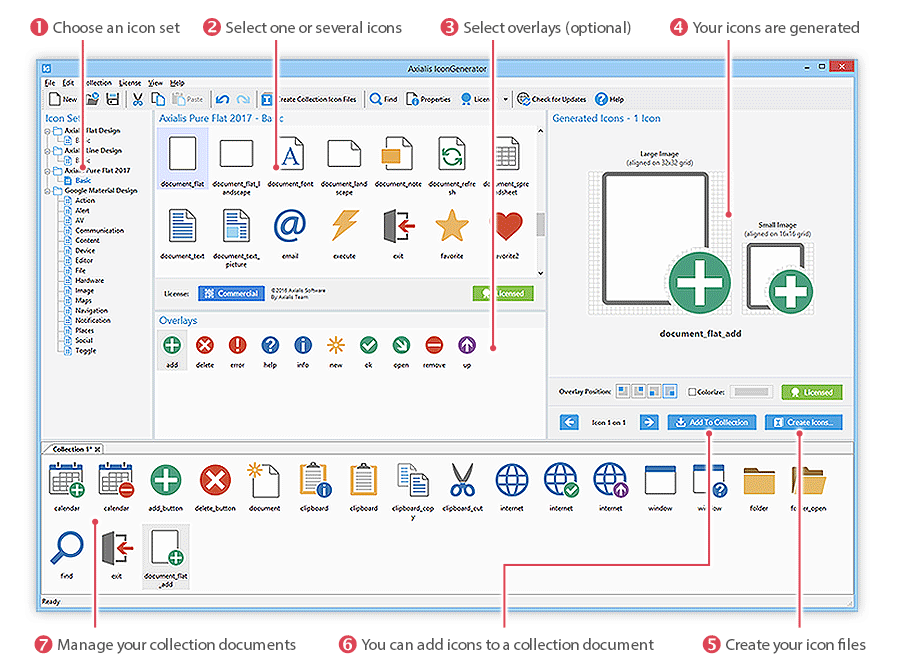
Generating icons takes only a few seconds: choose an icon set, select icons and overlays, optionally customize, then export in a single batch (Learn more).
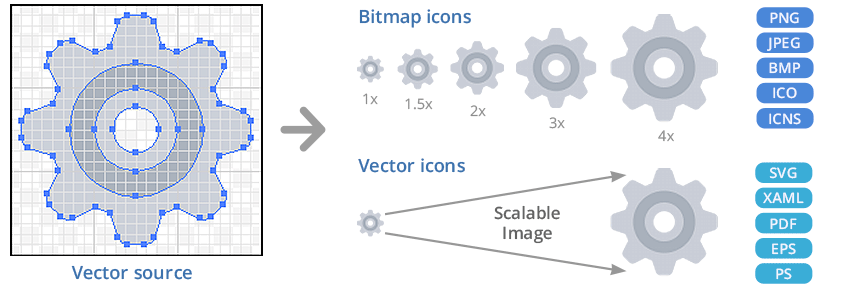
Export SVG, XAML, PDF, EPS, PS, and create bitmaps at standard/custom sizes in PNG, BMP, JPEG. Desktop formats ICO (Windows) and ICNS (macOS) are supported (Learn more).
Use built in overlays to annotate actions or states (add, remove, edit, info, and more). Place overlays at four positions and colorize independently for clarity.


Overlay placement options:


Enhance visibility or match your UI theme with Monochrome or Shaded colorization (varies by icon family).


Shaded colorization keeps original greys for soft gradients:


Overlays can be colorized separately for more dynamic effects:


For crisp rendering at small sizes, icons are aligned to fixed grids. For example, Axialis Line Design uses a 21×21 grid:


For ribbons/toolbars, some sets include two grids (e.g., Axialis Flat Pro 2017 at 16×16 and 32×32):


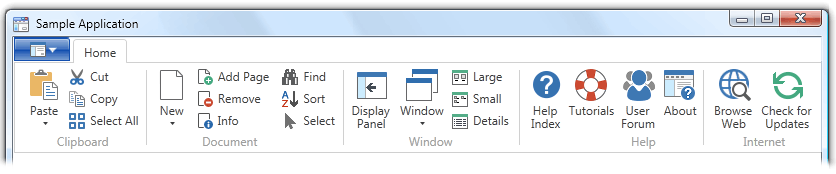
Result: true pixel perfect icons for ribbon based UIs:
Explore additional families and styles compatible with IconGenerator.
Compatible with Windows 7, 8/8.1, 10, and 11. Available in 64 bit & 32 bit.
Will support 64 bit Intel/ARM Macs (macOS 10.10 Yosemite or later).

When you purchase an Axialis product, you receive a license with clear and valuable benefits.
Your license is perpetual, meaning you can use the product forever, without limitations. Additionally, you receive lifetime support for your purchased products, ensuring you're never left without help.
With your initial purchase, you'll enjoy free product updates and new features released during the first year after your purchase date. Our built-in online update system makes it simple to keep your software up-to-date. Just click "Check for Updates," and the latest version will be installed automatically.
After the first year, your product continues to function without any limitations, and support remains available. However, to access new versions released after your initial year, you will need to renew your license. Renewal ensures you keep benefiting from improvements, new features, and compatibility updates.
This approach guarantees ongoing improvement and timely feature enhancements while ensuring long-term affordability and flexibility. You can decide when and how often you renew based on your specific needs, always benefiting from the latest innovations at your convenience.
If you already hold a Lifetime License purchased previously, all terms remain valid as originally promised. Your lifetime updates and benefits remain unchanged.
Icon sets in IconGenerator are available under three license types: Open Source, Commercial (lifetime updates), and Free with Attribution (limited use). Read more
To review the full license terms, please click here.
Axialis IconGenerator: The Ultimate Icon Creation Tool for Developers
Axialis Software has just released IconGenerator v2.10. This powerful authoring tool allows developers to easily create icons for their applications. It generates various icon formats, including vector, font and bitmap, and allows users to add overlay modifiers and colorize icons. It is available for Windows and MacOS and includes a range of icon sets.
Paris, FRANCE - Axialis Software, a leading developer of design software, has just released IconGenerator 2.10, a powerful and user-friendly tool for creating professional quality icons.
Axialis IconGenerator is a powerful software tool that allows developers to easily generate custom icons for their applications from a large database of professionally designed vector icons. With just a few clicks, users can select an icon set, choose their desired icons and overlays, and apply custom effects and styles to create unique and visually appealing icons. The software is designed to be user-friendly and intuitive, so generating icons takes only a few seconds.
The software can generate a wide range of vector and bitmap icon formats, including SVG, XAML, PDF, EPS, PS, PNG, BMP, JPEG, Windows ICO, and Mac ICNS. The icons are designed as vector shapes and aligned on 16x16, 24x24, or 32x32 grids to ensure a pixel-perfect fit in toolbars, menus, and ribbons. This makes them ideal for use in a variety of applications and on different devices with varying resolutions.
One of the unique features of IconGenerator is the ability to add Overlay Modifiers to icons. These are small images that can be placed over the icon to convey additional information or indicate a particular status or action. Common overlay modifiers include buttons for "Add", "Remove", "Ok", and "Info", but there are many others available as well. Overlay modifiers are usually added to the bottom-right corner of the icon, but can be placed elsewhere if needed to improve the visual aspect. IconGenerator includes a variety of overlay modifiers and allows users to easily add and colorize them using built-in color palettes.
Colorizing icons can be useful for a variety of purposes, such as enhancing their visibility on a dark background or making them consistent with a particular user interface theme. Depending on the style of the icon set, several colorization modes may be available, including monochrome, flat, shaded, and selective. Overlay modifiers can also be colorized separately to create more visually appealing effects.
With the release of IconGenerator 2.0, users can also generate icons in font formats for use on websites. Supported formats include EOT, WOFF, SVG, TTF, and OTF, and the software can automatically generate CSS and HTML test files to make integration easier. This is a great feature for web developers who want to use custom icons on their websites but don't want to rely on separate image files.
IconGenerator is available for both Windows and MacOS and can be installed and used for free indefinitely. The software includes a wide range of icon sets in various styles, with new sets added on a regular basis. Some icon sets are free to use, while others require a purchased license. Whether you're a seasoned developer or new to icon creation, IconGenerator is a valuable tool that can save you time and effort while helping you create professional-quality icons.
Recent Updates – IconGenerator 2.10
With the release of IconGenerator 2.10, Axialis Software continues to enhance the application with meaningful improvements focused on usability, workflow efficiency, and visual quality. The user interface has been refined with improved dark theme support, ensuring better visual consistency on modern Windows systems. The color picker dialog has been redesigned to follow current UI standards while preserving access to the classic color picker through user preferences.
Icon management has been improved with the ability to sort icons by name, making large icon collections easier to navigate. Integration with Axialis IconVectors has been strengthened, allowing users to open and edit icons directly in IconVectors with a single click, streamlining advanced vector editing workflows.
Rendering quality has also been enhanced through improvements to overlay clipping and path handling, resulting in smoother curves and cleaner icon shapes. In addition, version 2.10 includes multiple bug fixes and performance optimizations that improve overall stability and reliability across both Windows and macOS platforms.
"We are very excited to offer IconGenerator to the developer community," said Marc EMILE, CEO of Axialis Software. "With its intuitive interface and powerful features, IconGenerator is the ultimate tool for generating high-quality icons for any project."
About Axialis Software
Axialis Software is a leading developer of design software for professionals and enthusiasts. The company's products are used by millions of users worldwide and are known for their ease of use and powerful features.
Web: https://www.axialis.com/
Twitter: https://twitter.com/axialissoftware
Facebook: https://www.facebook.com/AxialisSoftware/
Instagram: https://www.instagram.com/axialissoftware/
###
CONTACT
Marc EMILE
LinkedIn: https://www.linkedin.com/pub/marc-emile/21/350/3a1
MEDIA FILES
IconGenerator for Windows: https://www.axialis.com/icongenerator/press/ig-news-win.jpg
IconGenerator for Mac: https://www.axialis.com/icongenerator/press/ig-news-mac.jpg
IconGenerator Screenshot: https://www.axialis.com/icongenerator/press/ig-screenshot.png
IconGenerator Application Icon: https://www.axialis.com/icongenerator/press/ig-icon.png
Axialis Software Logo (png): https://www.axialis.com/icongenerator/press/axialis-logo.png
Axialis Software Logo (svg): https://www.axialis.com/icongenerator/press/axialis-logo.svg
Yes. IconGenerator is free to use. Some icon sets require a Commercial license for full use; free and attribution options are provided.
Vectors: SVG, XAML, PDF, EPS, PS, web fonts. Bitmaps: PNG, BMP, JPEG, plus Windows ICO, macOS ICNS, and image strips.
Yes. Apply overlays (actions/states) and colorize in monochrome or shaded modes depending on the selected family.
Yes. Icons are aligned on typical grids (16×16, 24×24, 32×32) for crisp rendering in ribbons, toolbars, and menus.